
PS App Guide: Sign us to your account using a QR Code
with application PS APP
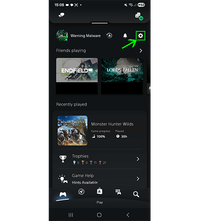
Step 1: Open Settings
From the PS App home screen,
Tap the "(⚙️) Settings" icon in the top right corner.
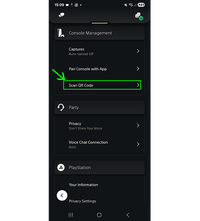
Step 2: Select “Scan QR Code”
In the settings menu:
Go to "Console Management"
then Tap "Scan QR Code".
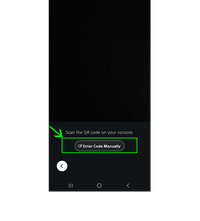
Step 3: Scan the QR Code
Your camera will open automatically.
Tap "Enter Code Manually".
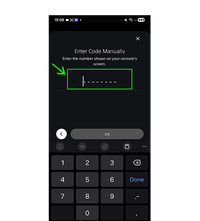
Step 4: Enter the Code Manually
Type the code provided by WarningMalware into the field.
Then tap "OK" to continue.